Why Cadence
Not another workout app.
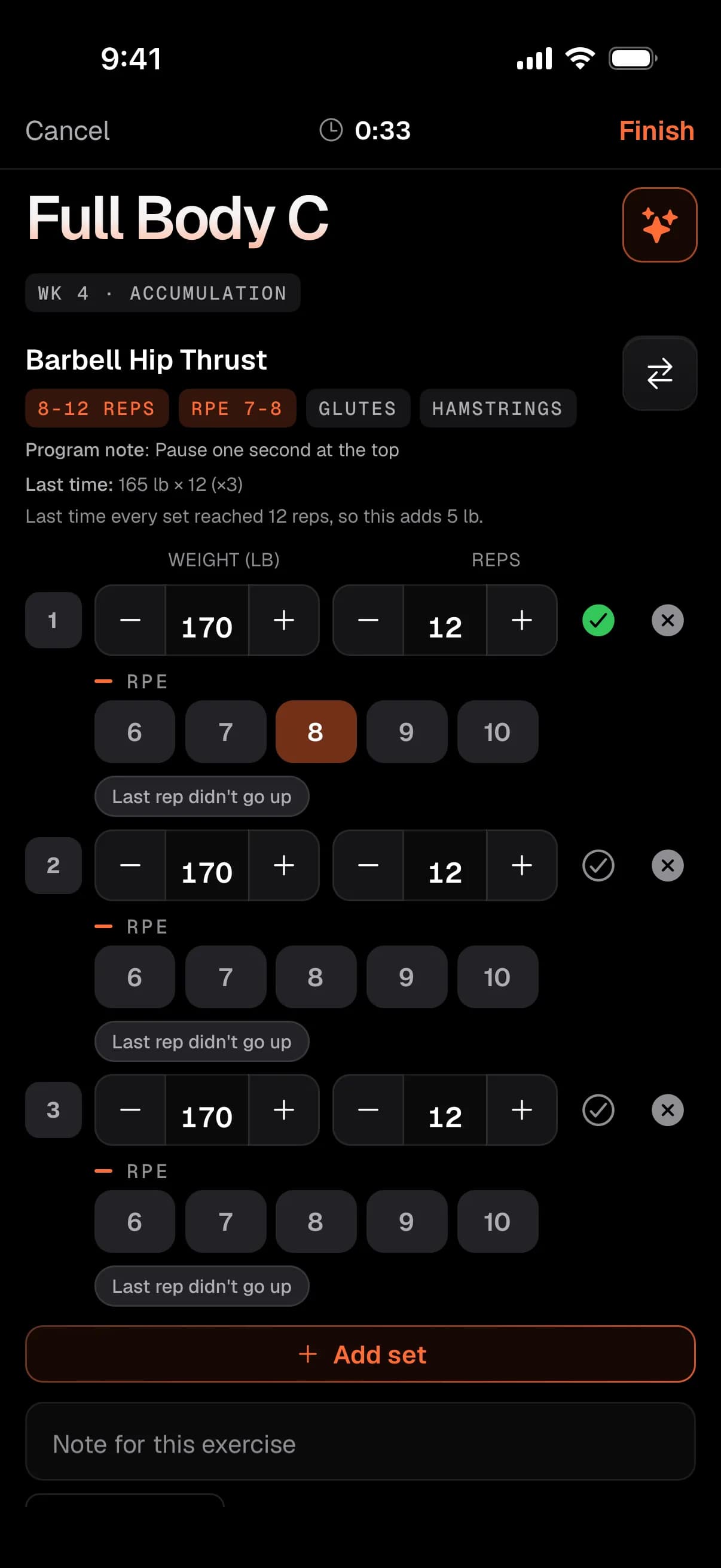
A workout tracker logs what you did. A calorie counter hands you a number. A chatbot writes a plan it never sees you follow. Cadence is one plan for your training and your food, and it changes from what you actually logged.
Side by side
What the usual tools leave to you.
Most people run two or three of these and do the joining up themselves. Here is what each one does, and where Cadence does less.
| Workout tracker | Calorie counter | General chatbot | The differenceCadence | |
|---|---|---|---|---|
| Plans your next session from what you lifted | PartlyLogs it well. The progression is up to you. | NoNo training plan. | PartlyWrites a plan, but cannot see your logged sets. | YesLoad and reps progress from your own logs. |
| Food that moves with your training | NoNo food side. | PartlyA fixed target, set once. | PartlyFrom what you tell it, in that chat. | YesSized to logged sessions, calibrated on your own logs. |
| Reads your watch against your own baseline | PartlyVaries by app. | PartlyOften adds steps or energy. | PartlyOnly what you share with it. | YesFive markers against your last 90 days. |
| Changes the plan when you say what changed | NoYou edit it by hand. | NoYou edit it by hand. | PartlyRewrites the text. Nothing in an app changes. | YesEdits the plan, shows a receipt, Undo for 24 hours. |
| Open to anyone today | YesDownload and go. | YesDownload and go. | YesSign up and go. | NoInvite-only beta. iPhone and watch through TestFlight. |
| An Android app | YesUsually. | YesUsually. | YesUsually. | NoThe web app runs in any browser. |
Compare Cadence with
Plans your next session from what you lifted
Workout tracker
PartlyLogs it well. The progression is up to you.Cadence
YesLoad and reps progress from your own logs.Food that moves with your training
Workout tracker
NoNo food side.Cadence
YesSized to logged sessions, calibrated on your own logs.Reads your watch against your own baseline
Workout tracker
PartlyVaries by app.Cadence
YesFive markers against your last 90 days.Changes the plan when you say what changed
Workout tracker
NoYou edit it by hand.Cadence
YesEdits the plan, shows a receipt, Undo for 24 hours.Open to anyone today
Workout tracker
YesDownload and go.Cadence
NoInvite-only beta. iPhone and watch through TestFlight.An Android app
Workout tracker
YesUsually.Cadence
NoThe web app runs in any browser.
Day to day
What that looks like on an ordinary week.
The plan bends around the week you actually have, and you see what changed, in the app’s own words.
Something hurts
Your shoulder is grumbling.
Name it in your own words and choose how it is treated, like keeping load off it. Flag discomfort on a lift and its load holds next time.
On the session brief
Shoulder, left
Keep load off it
Dinner out
Someone booked a table.
Tell the coach and the rest of the day re-sizes around it. Portions in household measures, like one piece or a cup and a half, get you through the menu.
Marked Tue dinner as eating out, instead of Caprese Chicken
A heavy week
Everything feels heavy.
Your deload is planned near the end of the cycle, and you can take it earlier or later. Ask, and it comes as a card you apply.
Made this week your lighter week
A stall
Three weeks, same weight.
Your calorie target is calibrated from your own weight and food logs, so a stall gets a plain explanation and, on a cut, the offer of a short break.
On the Food page
Take a maintenance break?
Your weight has held steady on this cut. A 1 or 2 week break at maintenance can make a long cut easier to keep going with.
Questions
What people ask first.
Short answers. The privacy policy and the full feature list have the rest.
Is Cadence an app or a website?
Both. The web app runs in any modern browser, and there are iPhone and Apple Watch apps. One account and one plan across all three. The iPhone and watch apps are in an invite-only TestFlight beta for now.
Does it work without an Apple Watch?
Yes. Training, food and the coach work on the web and iPhone without one. The watch adds logging from your wrist and the readings behind your baseline. A ring or band that writes to Apple Health covers the readings too.
Do I need an iPhone?
No. The web app has your training, your meals, the program builder and the coach. Reading Apple Health and using the watch need an iPhone.
Is there an Android app?
No. On Android, use the web app in your browser. Apple Health and the watch app are Apple only.
What does it cost?
Nothing right now. Cadence is offered at no charge during the invite-only beta. Access opens a few people at a time: request access and we will come back to you.
Is my health data private?
Apple Health is optional, off until you turn it on, and read-only. Your data is not sold or used for advertising. AI features send what they need to Anthropic, which does not train its models on it by default. You can delete your account yourself on the web or iPhone.
How is this different from ChatGPT?
A chatbot can write a good plan, but it does not see the sets you logged, and it cannot change anything in an app. The Cadence coach works on your actual plan and logs: every change comes with a receipt, and you can undo it for 24 hours.
Who builds it?
Cadence is designed and built in Saskatoon, Saskatchewan, by an independent studio.
Early access
Cadence is invite-only for now.
Access opens a few people at a time while the beta is small. Tell us how you train and what you want to change, and we'll come back to you.
Web, iPhone and Apple Watch · One invite covers all three